Making a high touch human guided experience a self-serve one
The goal was to turn onboarding into something an attorney could complete alone: less dependent on people, faster to a first case, and able to scale to many attorneys at once.
It also needed to fix something the manual process never could. Every managing attorney ran onboarding a little differently, and several other teams, supply, marketing, needed information from a new attorney that no one step was collecting. A self-serve flow could be the same for everyone, and gather what every team actually needed in one place.
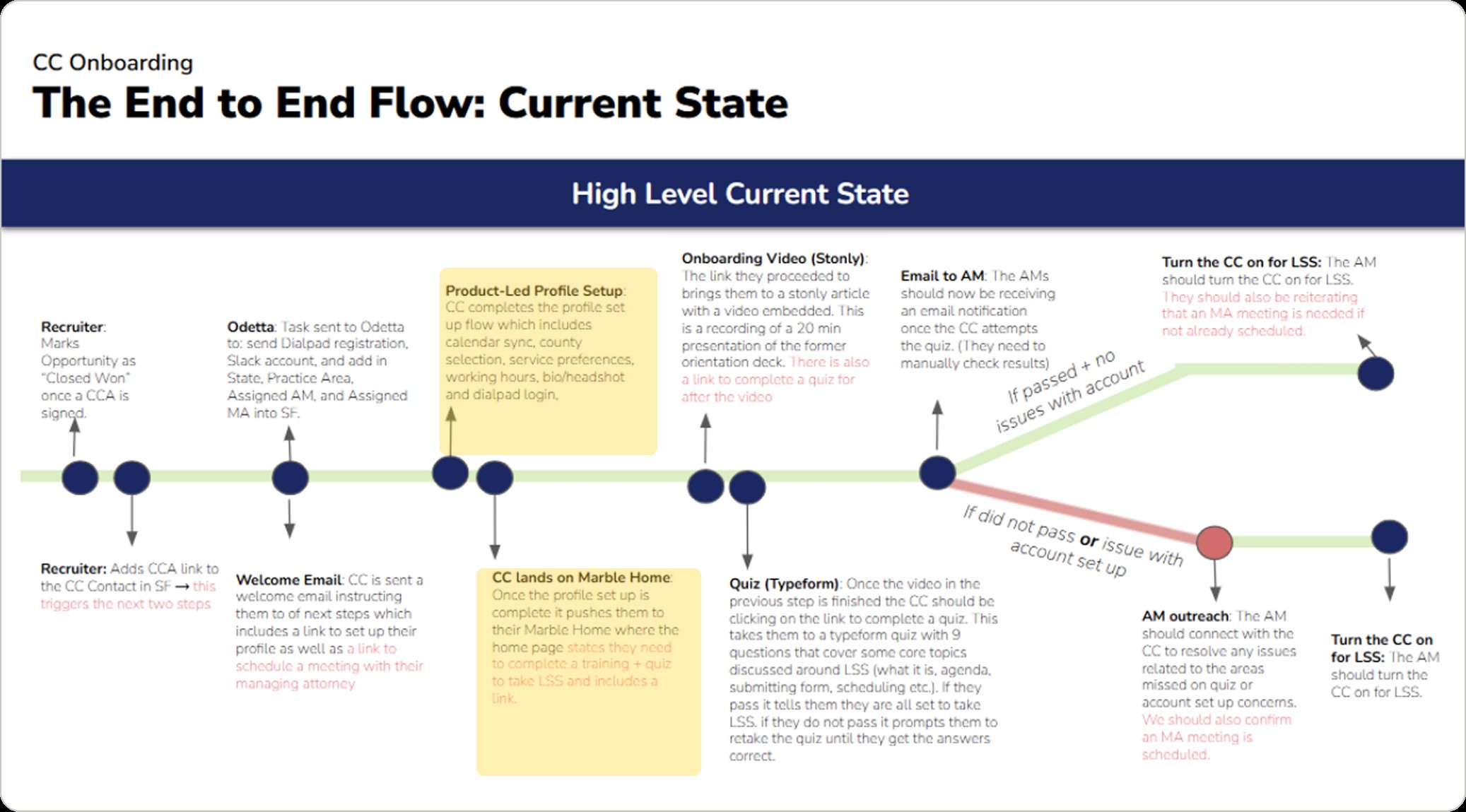
Faster onboarding meant more supply, and more clients served. It also gave managing attorneys their time back, instead of running people through onboarding, they could spend it on the work that actually needs a person, making sure every attorney met Marble's standards.
We traveled to meet attorneys in person across several locations, alongside two PMs, a content writer, and product marketing. It wasn't research built for this project alone, but it shaped this one deeply. Talking to new attorneys especially, I asked why they chose to work with Marble.
That research shaped more than the flow. It shaped the tone: what onboarding needed to say to an attorney, and how it needed to make them feel, from the first screen.
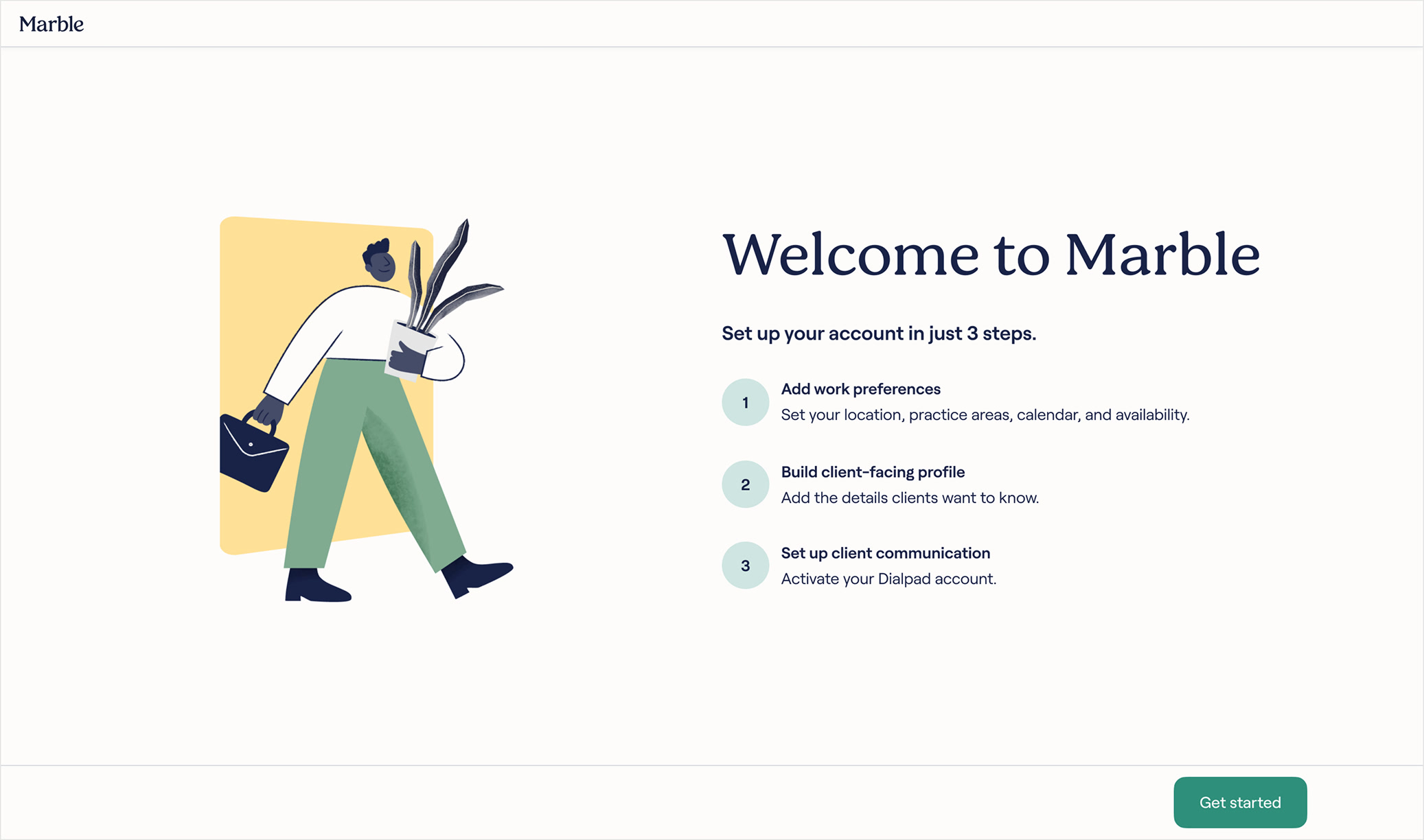
The wizard breaks onboarding into three steps: work preferences, client-facing profile, and communication setup. Each one replaces something that used to require a person: a recruiter's intake, a managing attorney's meeting, an account manager's manual setup.
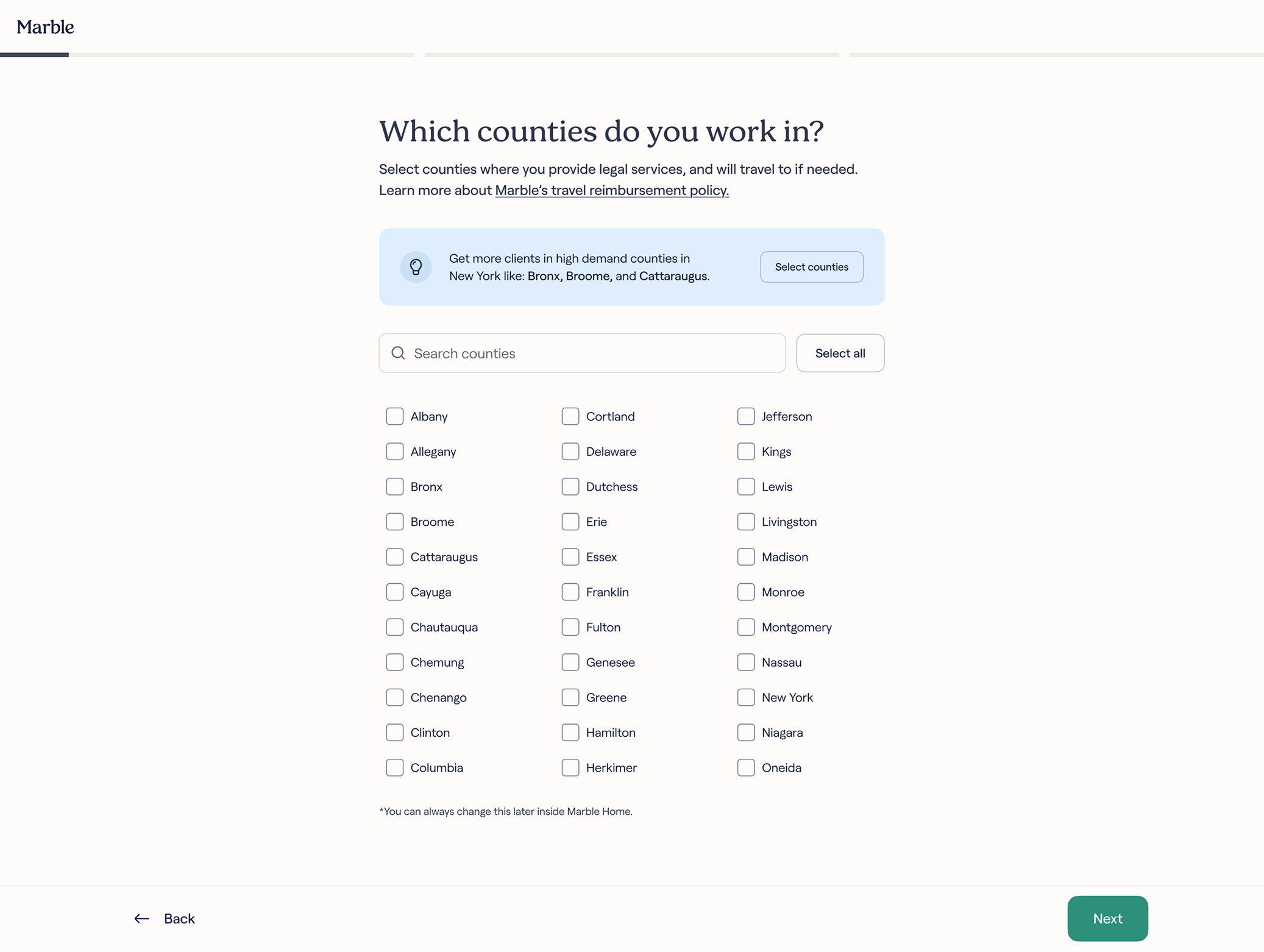
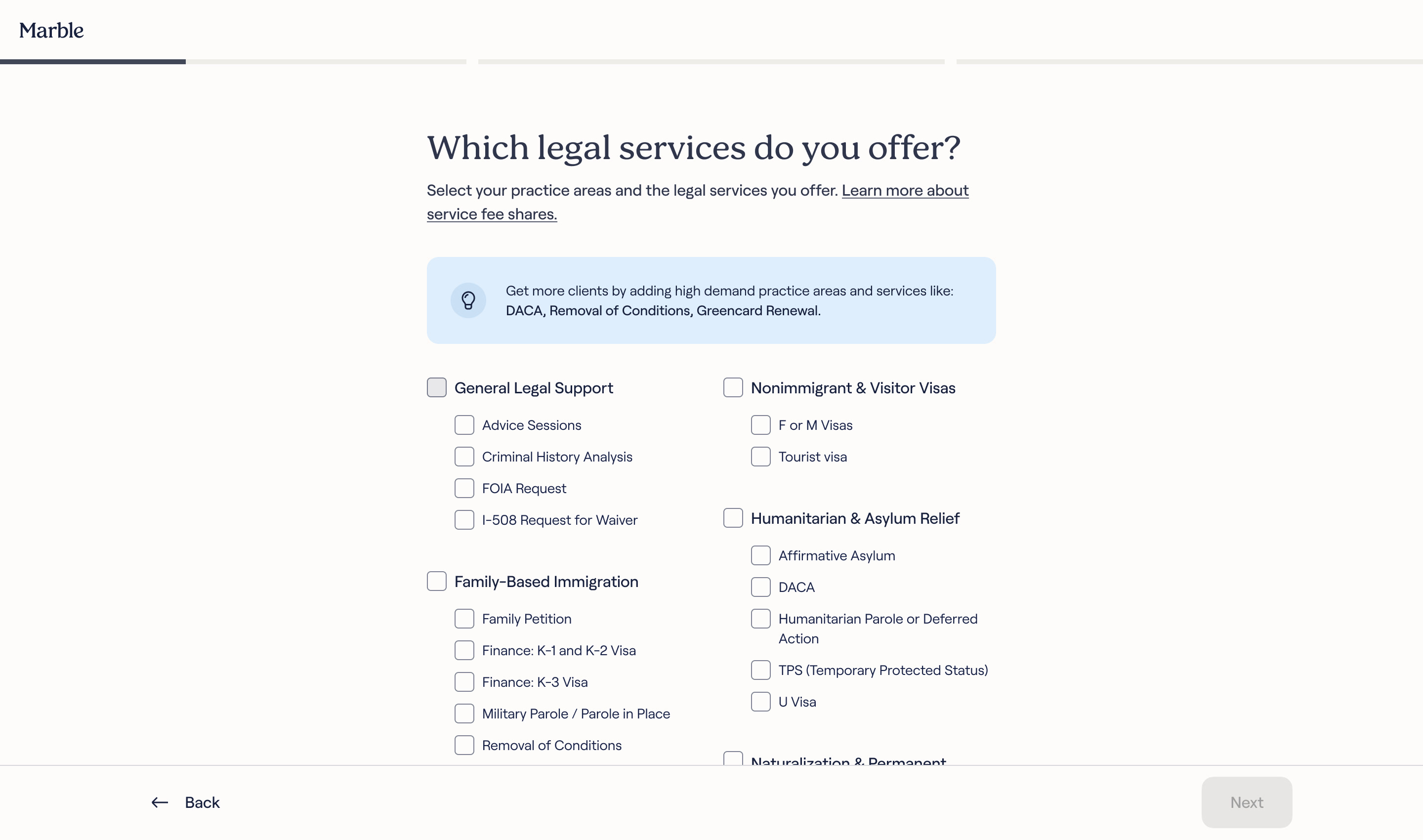
This step collects what Marble needs to get an attorney working: location, practice areas, calendar, availability.
Tips throughout the flow point attorneys toward where Marble needs them most: counties with client demand and too few attorneys, hours clients are most often looking for time.
Practice areas ship pre-checked, so an attorney confirms rather than builds from scratch, pushing Marble's needs from the start.
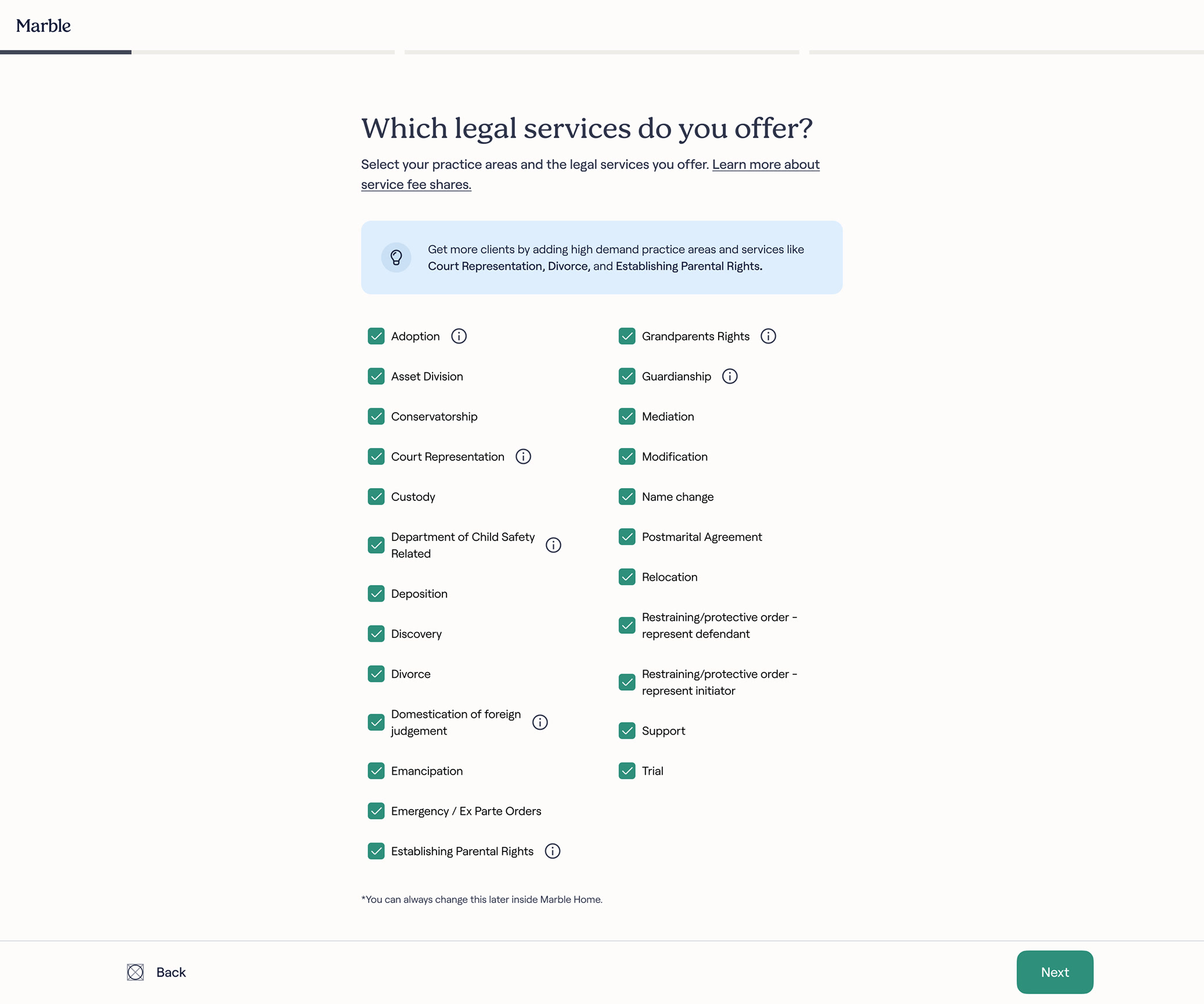
Immigration law is the exception: those areas often require specific certification, so instead of pre-checking, we unified and grouped the services for that practice.
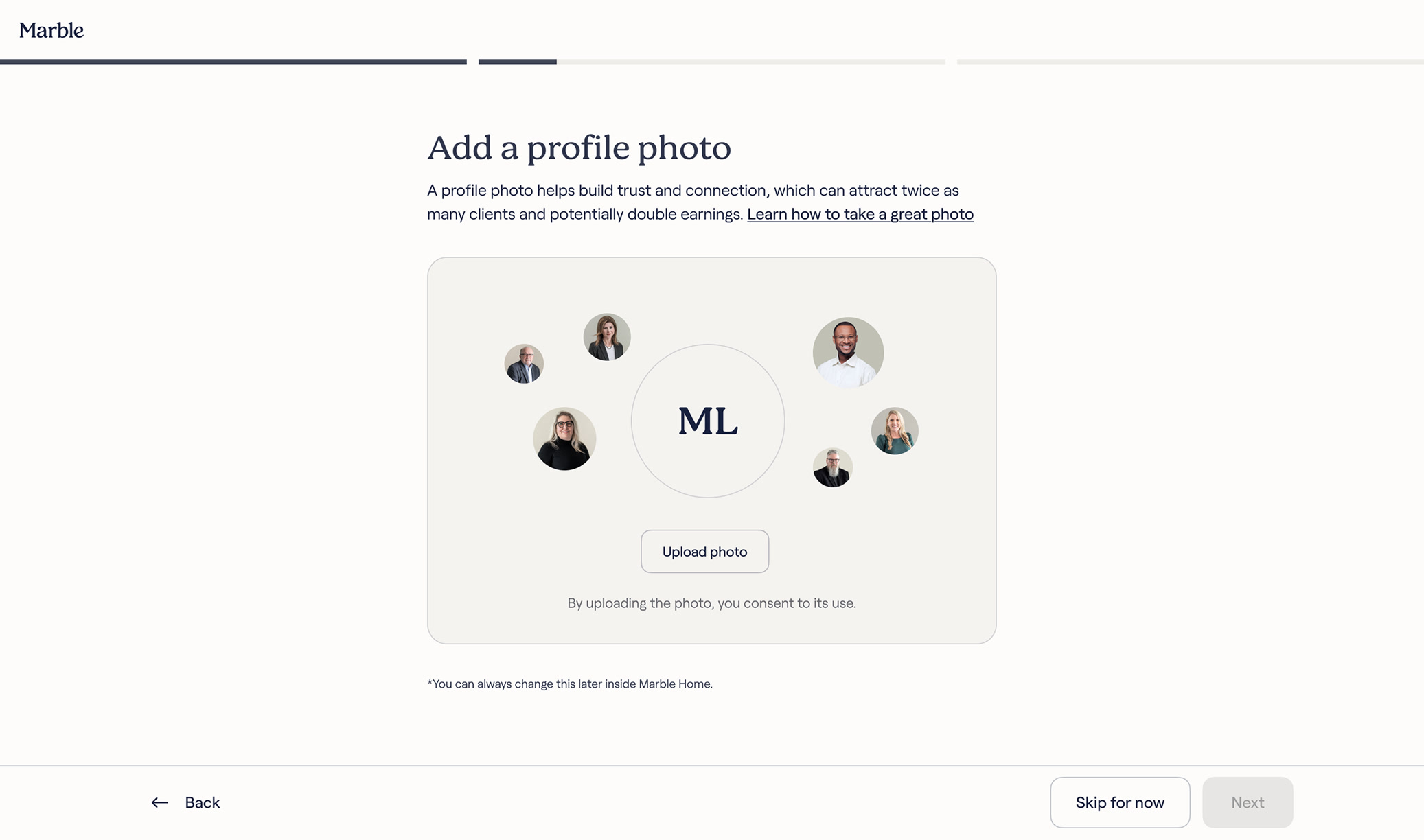
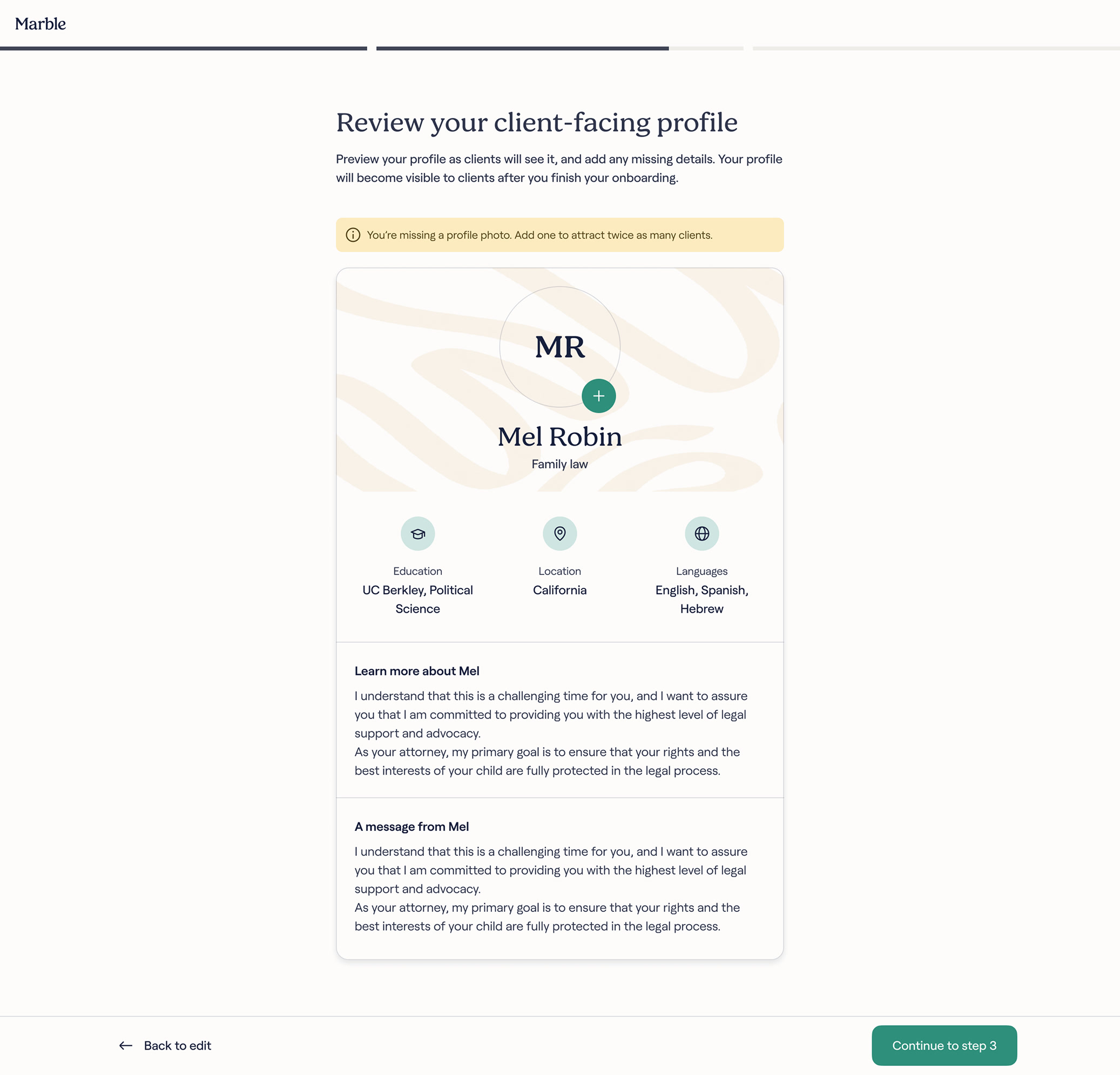
This step collects what clients will actually see: photo, bio, education, message. It's also information the client teams really needed to lift conversion, so we pushed for it wherever we could in the flow. Before, that data lived with the attorney to add later, and few ever did.
The profile photo is the clearest example. Adding one is optional, but the content highlights the value: a photo can attract twice as many clients.
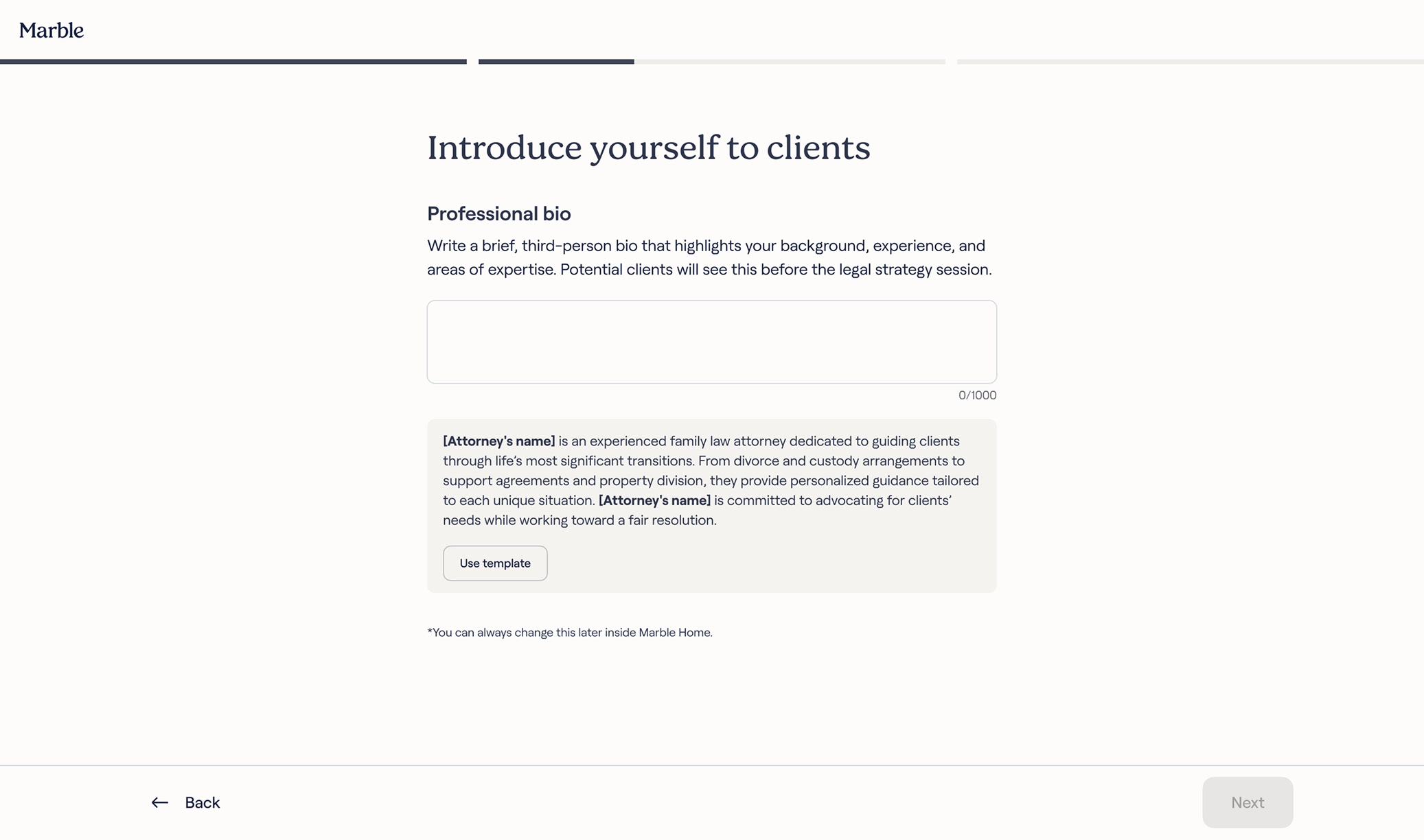
Bio and client-message fields ship with a "Use template" option instead of a blank box. The templates weren't generic, we studied the highest-converting profiles and built from what actually worked.
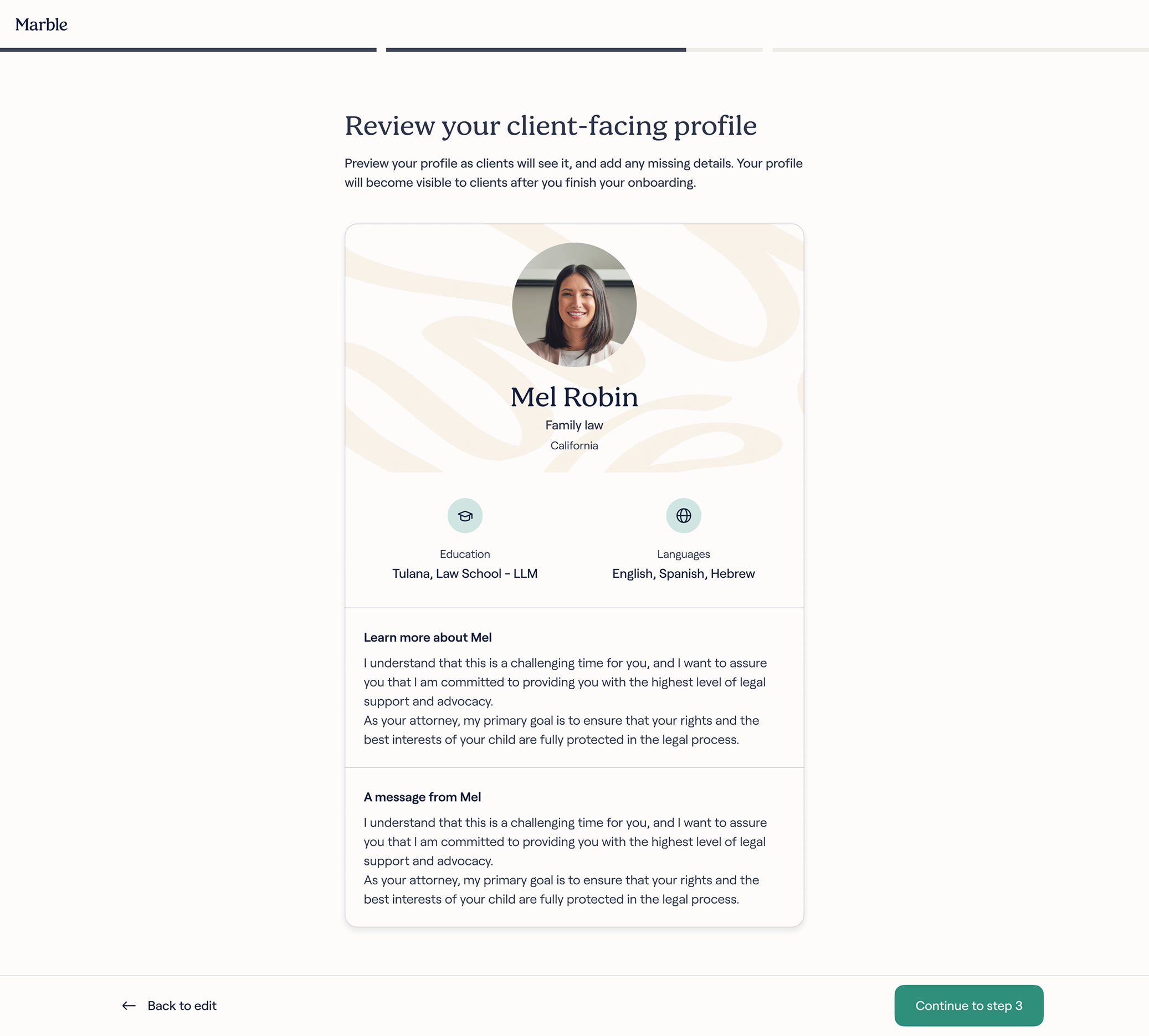
Before moving on, we show the profile exactly as a client will see it, all in one card. Seeing it this way pushes attorneys to double-check it against their own standards.
Whatever's missing gets flagged directly, with the actual reason it matters. A missing photo, for example, comes with a callout to add one and attract twice as many clients.
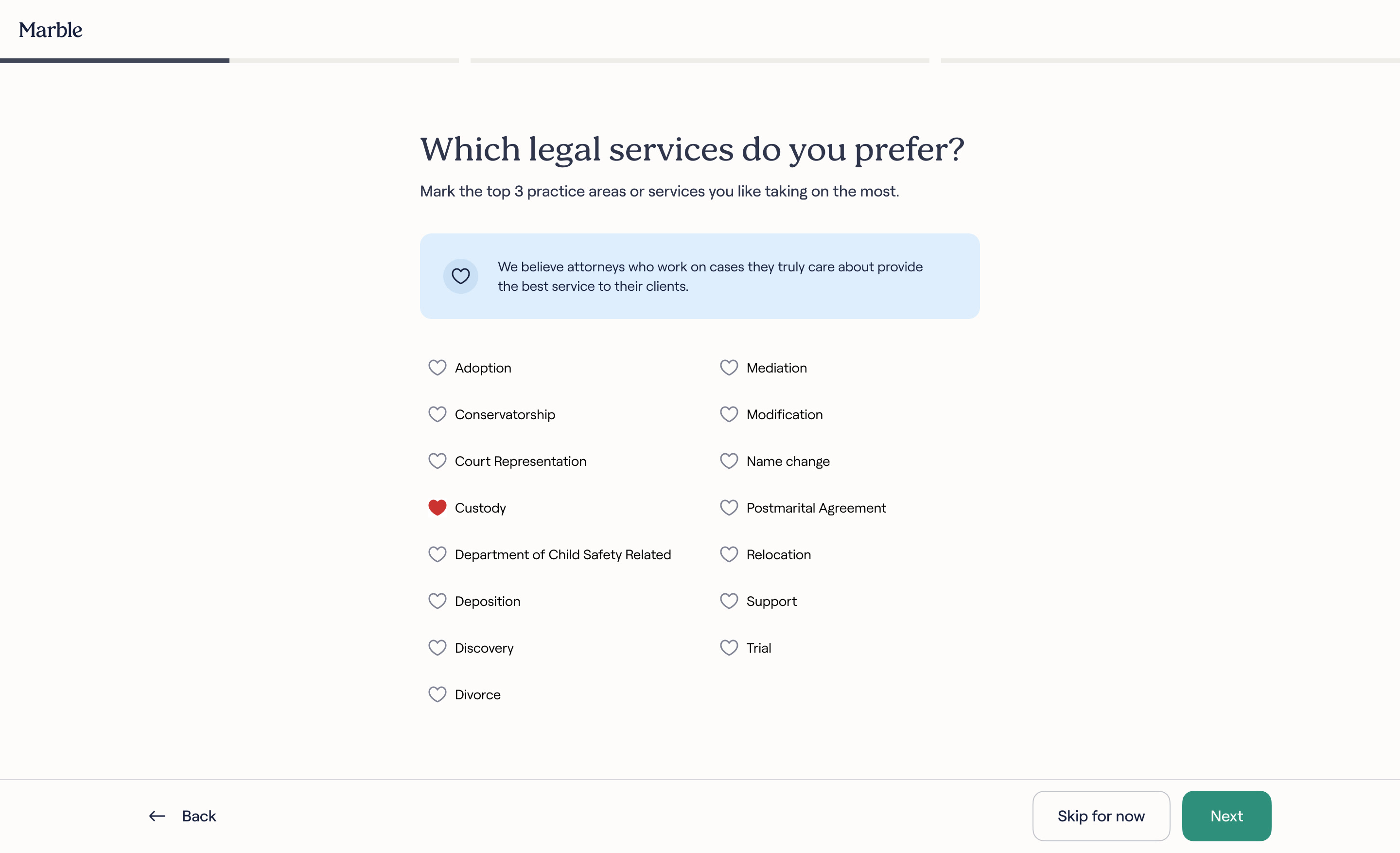
During the field interviews, I asked attorneys directly: why Marble, and not a traditional law firm? One answer came up strong: at a firm, you get assigned a case, at Marble, you can choose.
That wasn't something the product "needed" to ask. I built it so a new attorney could feel seen, and to push our value proposition: asking what they'd actually prefer to take on, framed directly. "We believe attorneys who work on cases they truly care about provide the best service to their clients."
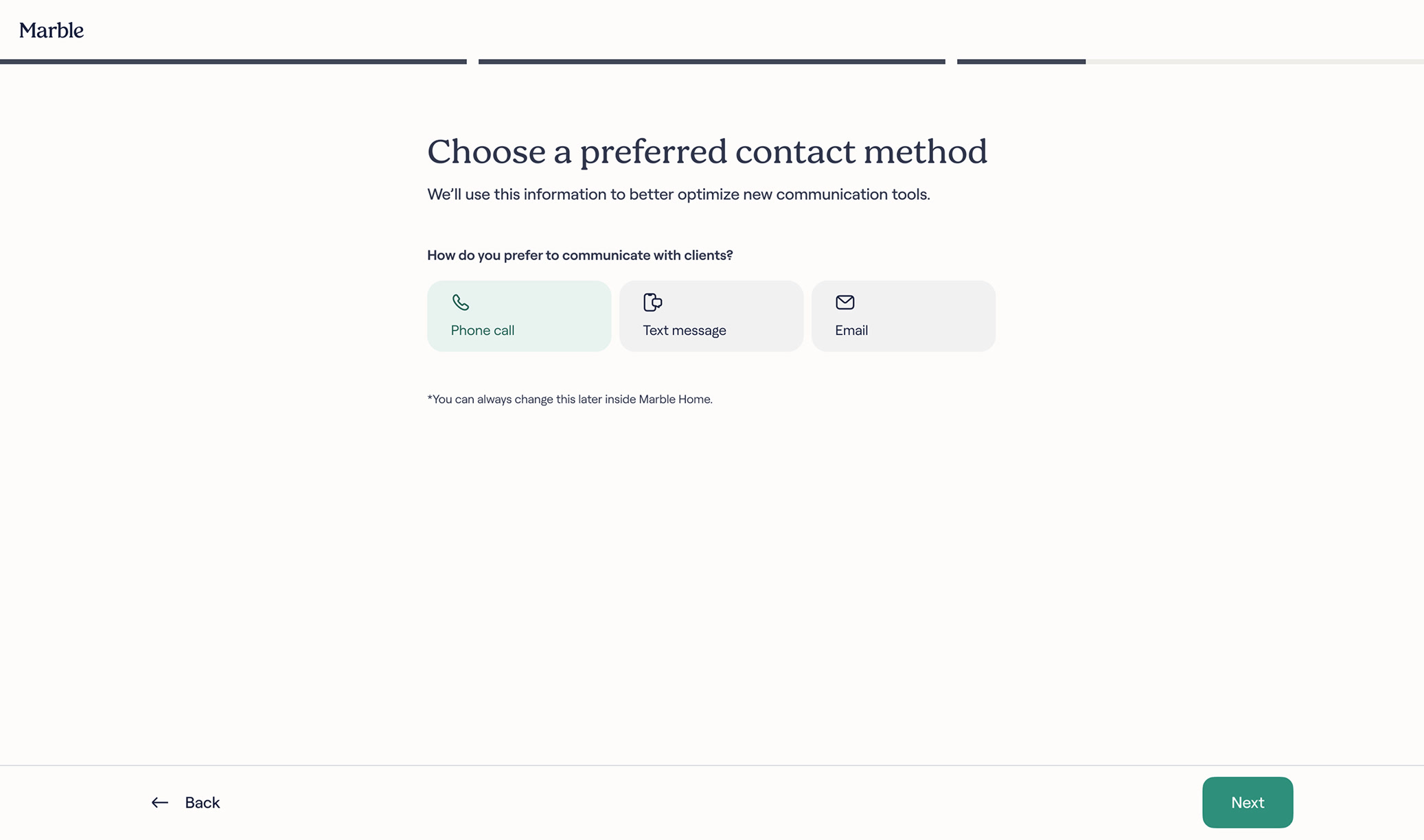
The same thinking shaped the preferred contact method screen: another way of saying we see you, before an attorney has done anything for us.
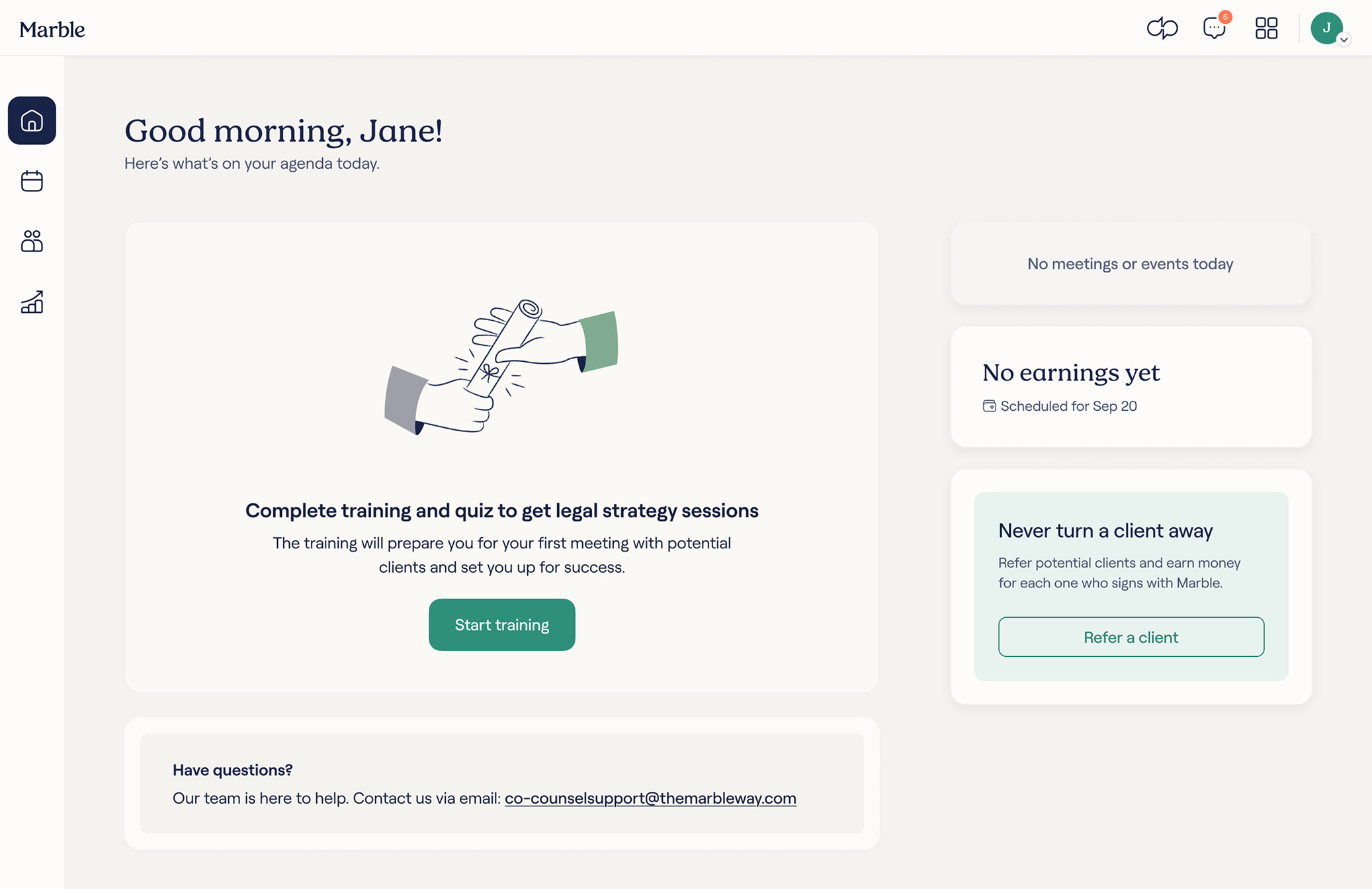
The wizard finish screen pushes an attorney straight to Marble Home, already pointed at what's next: training, then the quiz. Built to feel like one flow, and speed up the full process.
This project closed one part of a longer manual chain. Signing up still happens manually, and so does the platform walkthrough that follows onboarding. Onboarding was the piece we chose to productize first.
What's next: productizing the walkthrough, then closing the loop by making sign-up self-serve too.
Pushing to make an attorney feel seen before we'd even started working together, with every screen also carrying what the business needed directly. Underneath both, it had to be easy and fast.